


Ransomware doesn’t ask permission.
It finds the weakest link and locks your files.
You need a simple, practiced plan so your team responds fast and avoids long downtime.
This guide breaks the incident response lifecycle into six clear phases: Preparation, Detection and Analysis, Containment, Eradication, Recovery, and Post Incident Activity.
You’ll learn who should be on the response team, how to preserve evidence, what backups to keep, and the quick steps to contain and restore systems.
Read on to build a plan you can test, repeat, and rely on when seconds matter.
Core Steps to Build a Ransomware Incident Response Plan

Ransomware moves fast. You need a simple, practiced plan that drills down from preparation to post‑incident lessons, so your team acts quickly and cuts downtime. Think of the lifecycle in six phases: Preparation, Detection and Analysis, Containment, Eradication, Recovery, and Post Incident Activity. Do the prep work and you won’t be guessing during the crisis.
Preparation means putting people and processes in place. Assemble a cross functional team, write clear governance and escalation rules, and keep tested backups that follow the 3, 2, 1 rule: three copies, two different media types, one copy offsite or air gapped. Deploy detection tooling like SIEM and EDR and test them. Detection is about spotting early signs, like mass file changes, ransom notes, or odd CPU spikes, and preserving logs and timelines before containment steps erase evidence. Containment isolates infected hosts, blocks lateral movement, and enforces least privilege so the problem doesn’t spread.
Eradication removes malware binaries, patches the holes the attacker used, and rotates any credentials that were exposed. Recovery brings systems back from known good backups, following your RTO and RPO targets. Post incident activity runs a blameless root cause review, updates playbooks, and captures metrics like mean time to detect and mean time to contain so you actually improve. For example, a regional health system detected an event on a Friday night, isolated endpoints within 20 minutes, captured volatile memory for forensics, restored core EHR services from backups by Sunday morning, and then upgraded network segmentation to cut future containment time by about 40 percent.
Summary of core actions, short and direct:
- Draft a written ransomware policy that defines roles, decision authority, and escalation paths.
- Inventory business critical systems and classify data so recovery priorities are clear.
- Maintain encrypted, immutable, offline backups and run restore tests at least quarterly for high priority systems.
- Deploy layered detection: EDR, SIEM, MFA, network segmentation, and watch for encryption activity and ransom notes.
- Capture evidence early: logs, memory images, and timelines before actions like reboots destroy artifacts.
- Contain quickly: disconnect infected hosts, disable shared drives, block compromised accounts, and segment networks.
- Restore from validated backups in staged phases, verify integrity, and monitor for reinfection before full cutover.
Assigning Roles and Building a Ransomware Incident Response Team

Clear roles stop chaos. Your team should include an incident response lead who coordinates and makes decisions, a technical lead for forensics and remediation, legal counsel for notification timing and liability, a communications lead for internal and external messaging, HR for employee issues and insider‑threat liaison, and an executive sponsor for budget and board updates. Line up external partners ahead of time: a digital forensics firm on retainer, your insurer’s breach hotline, any managed IT provider you use, and a law enforcement contact. Build an escalation matrix that shows who approves containment steps, who talks to regulators, and who decides on ransom payment.
Evidence preservation starts the instant you suspect ransom activity. The technical lead must grab volatile data—live memory, running processes, open network sockets—before doing any destructive containment. Document every containment action with timestamps and the person responsible in a central evidence log so you meet chain of custody and insurance needs.
Key team responsibilities, in plain terms:
- IR lead, coordinates the response, runs incident calls, enforces the playbook, escalates to the executive sponsor.
- Technical lead, scopes the incident, isolates systems, collects forensic evidence, and validates a clean state before recovery.
- Legal counsel, tracks notification deadlines, advises on ransom legality, and coordinates with insurers.
- Communications lead, drafts customer and employee notices, prepares FAQs, and handles press.
- Executive sponsor, approves funds for external responders, makes high level decisions, and briefs the board.
Appoint a single incident commander with explicit authority to bypass normal approval chains during an active event. This person calls urgent containment timing, engages external responders, approves public statements, and ensures every action is logged. That prevents minutes of delay while people hunt for committee consensus.
Preparing Systems and Backups for a Ransomware Attack
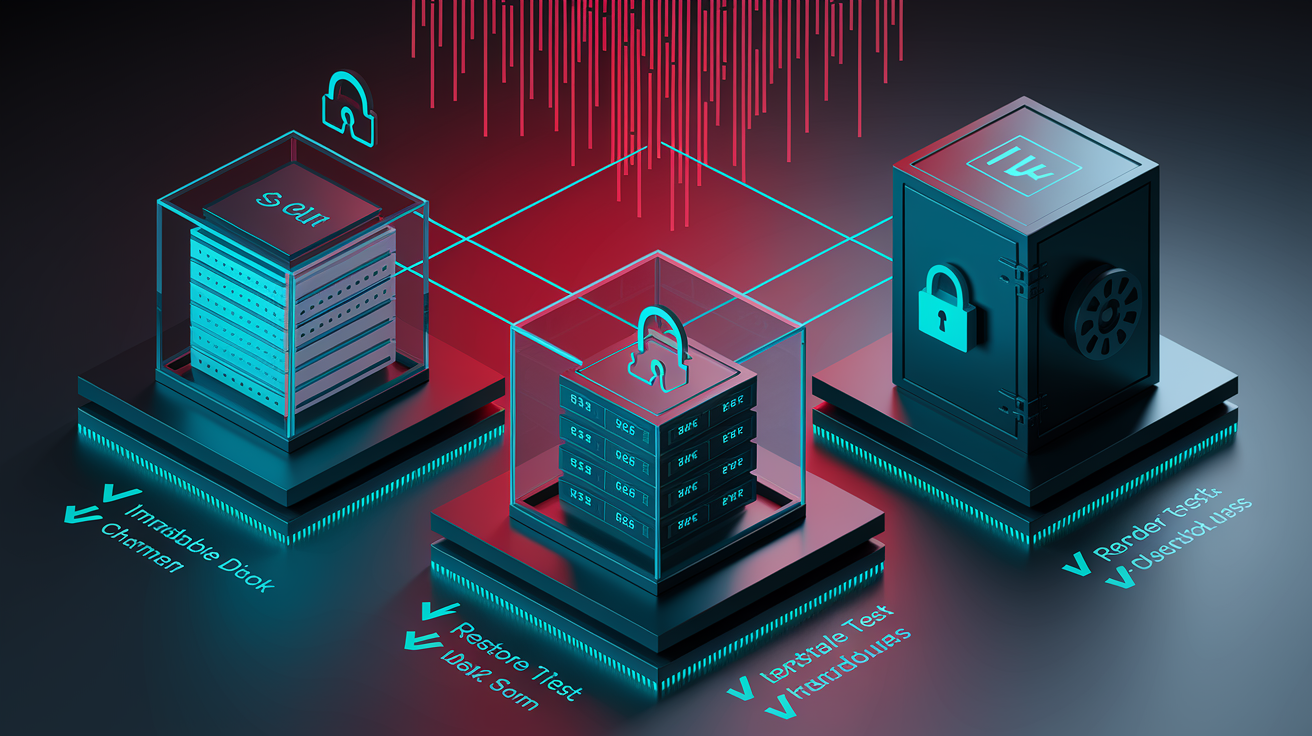
Backups are your primary recovery tool, so make them reliable and untouchable. Follow the 3, 2, 1 rule and use immutable storage or object lock so snapshots can’t be encrypted or deleted. Encrypt backups in transit and at rest, and set retention that balances compliance and cost. Map every critical system to an RTO and RPO so restore sequencing and test cadence match business needs. A payment gateway might need a two hour RTO and five minute RPO, while an internal wiki can tolerate a 24 hour RTO and daily RPO. Validate backups with restore drills: mount copies, check checksums, and confirm application functionality. Log each test: date, systems, result, time to restore, and any gaps.
| Backup Type | Purpose | Testing Frequency |
|---|---|---|
| Daily incremental (onsite disk) | Fast recovery for recent changes, short RPO | Monthly restore spot check |
| Weekly full (offsite cloud) | Offsite redundancy, protects against site disaster | Quarterly full restore drill |
| Monthly archive (immutable object storage) | Compliance retention, defense against crypto locking | Annual full restore validation |
| Air gapped tape (quarterly rotation) | Offline fallback, immune to network attacks | Annual physical restore test |
Detecting and Identifying Ransomware Early

You want detection that narrows scope fast. Use SIEM to correlate logs across endpoints, firewalls, and auth systems. Use EDR to catch process injection, credential dumping, and mass file changes. Subscribe to threat feeds for known command and control domains and bad file hashes. Alert on high confidence signals: new encrypted file extensions, ransom note filenames, sudden disk write spikes, or odd outbound traffic.
When an alert fires, preserve evidence right away. Pull system logs, export EDR telemetry, and capture memory dumps before retention windows expire. Build a timeline: first alert time, affected accounts, and likely entry vector. Triage scope quickly: single endpoint, a file share, or enterprise wide. Use SIEM queries to count impacted hosts and check domain controller logs for suspicious authentication. Verify the last clean backup snapshot before encryption started; that helps estimate recovery work and RTO.
Watch for common indicators like renamed files with unfamiliar extensions, ransom notes appearing in many directories, off hours CPU or disk spikes on file servers, mass deletion of shadow copies, or unexpected SMB or RDP sessions.
Containing Ransomware and Limiting Lateral Movement

Once confirmed, containment is priority. Isolate infected systems using EDR quarantine, remote isolation, or yes, physically unplug cables if needed. Disable shared drives and unmount network file systems. Revoke or reset credentials that authenticated on compromised hosts. Segment networks by blocking inter VLAN traffic at firewalls until you confirm cleanliness. Lock down elevated accounts and require multi factor authentication for remote access. Put RDP behind a jump box with conditional access.
But capture evidence before destructive steps. Take a memory dump and disk image from the first identified host before you reboot or reimage. Export recent logs to write once storage and record every containment action, with timestamps and responsible people.
Immediate containment checklist, simple and actionable:
- Isolate infected systems, network disconnect or EDR quarantine.
- Disable shared drives and unmount network file systems.
- Block compromised user and service account credentials, force resets.
- Segment networks to limit lateral movement with VLAN isolation and firewall rules.
- Revoke elevated privileges temporarily and enforce MFA for remote access.
- Capture forensic evidence before wiping or rebooting.
Short term containment is about speed: stop active spread and preserve evidence. Long term containment is about hardening: patch initial access points, deploy allow listing, secure remote access, and rebuild critical controllers from known good images so the attacker can’t easily return.
Eradication Steps and System Restoration After Ransomware

Eradication hunts and removes the malware and its persistence. Find and delete binaries using updated signatures and threat feeds. Patch the vulnerabilities used to gain entry, and rotate every credential that touched compromised systems, including service accounts, local admins, API keys, and certificates if private keys were exposed.
Hunt for persistence: scheduled tasks, registry Run keys, startup folders, hidden accounts, backdoor services, and web shells on public servers. Use EDR or manual forensic tools to scan for indicators of compromise and compare system state to a known good baseline. Re scan before you call a host clean.
If a free decryptor exists, test it on a small sample before mass use, because a bad decryptor can ruin files. If decryption isn’t available and backups are incomplete, document the encrypted inventory for insurance and legal holds, and plan to rebuild from backups rather than assume payment will work.
Recovery Process and Returning Systems to Operation Safely

Recovery is staged, deliberate, and monitored. Prioritize tier one services per your RTO and RPO, mount pre infection snapshots, verify checksums, and test applications in an isolated environment before reconnecting to production. Monitor restored systems closely for 48 to 72 hours for signs of reinfection.
Use phased cutovers to avoid saturating bandwidth or support capacity. For example, restore tier one in week one, tier two in week two, and lower tiers after that, validating each phase. Keep stakeholders updated with clear status reports, and record actual recovery times against RTO targets to learn.
Six phase recovery sequence:
- Validate backup integrity, mount and checksum snapshots.
- Rebuild critical infrastructure, domain controllers, auth services, DNS from known good images.
- Restore tier one business applications, payment and customer facing systems first.
- Reconnect to production networks in stages with tight monitoring.
- Restore tier two and three services as capacity allows.
- Final validation and handoff, confirm apps are functional and return to normal ops.
Communication and Notification Planning During a Ransomware Incident

Communicate early, often, and clearly. Prepare templates ahead of time: employee updates, board briefings, customer notices, regulator filings, and press holding statements. Define who drafts, who reviews, who approves, and who speaks publicly. Usually communications drafts, legal reviews, the executive sponsor or CISO approves, and one designated spokesperson goes public.
Log every communication: timestamp, audience, content, and channel. Track acknowledgments where possible to support regulatory timelines. Keep messages plain: what happened, what was affected, what you’re doing, what the recipient should do, and when you’ll update them. Run communication drills quarterly so approvals and templates work under time pressure.
Different stakeholders need different timing. Insurers often expect notice within 24 to 48 hours. State laws vary from immediate to set windows. Sector rules like HIPAA and GDPR impose specific timelines. Map these requirements to owners and set internal deadlines earlier than the legal minimum so you have time for reviews.
Legal, Regulatory, and Insurance Requirements for Ransomware Incidents

Ransomware triggers a tangle of obligations. Work with legal to identify applicable rules, like state data breach laws, HIPAA, GLBA, or GDPR. Keep full documentation: incident timeline, systems and data affected, containment steps, and notification dates to support filings and claims.
Notify your insurer right away per policy rules. Use approved vendors from the insurer’s panel if required. Missing insurer requirements can void coverage for response costs and business interruption. The FBI and national cyber agencies advise against paying ransoms because payment funds criminals and offers no guarantees, and it may violate sanctions. If you even consider payment, involve legal, your insurer, and forensic experts.
Core legal checklist:
- Identify applicable notification laws and timelines.
- Notify cyber insurer within the policy window.
- Engage pre approved legal and forensic vendors to preserve coverage.
- Assess legal risks of ransom payment with counsel.
- Prepare regulator filings with required details.
- Retain full incident documentation for required retention periods.
Post Incident Review, Training, and Continuous Improvement
Run a blameless post incident review within one to two weeks of recovery. Rebuild a timeline from compromise to recovery, measure MTTD, MTTC, and MTTR, and find the gaps: missed alerts, backup failures, unclear escalation, slow decisions. Turn findings into tracked remediation actions with owners and deadlines.
Practice regularly. Quarterly tabletop exercises and technical drills work well. Rotate participants so everyone practices their role, time each phase to find bottlenecks, and update playbooks immediately after drills. Track progress over time. If your MTTC drops from 90 minutes in Q1 to 30 minutes by Q4, you’re moving in the right direction.
| Metric | Purpose | Target |
|---|---|---|
| Mean Time to Detect (MTTD) | Measures alert to confirmation speed, lower is better | < 15 minutes for high severity alerts |
| Mean Time to Contain (MTTC) | Measures confirmation to isolation speed, limits spread | < 1 hour for ransomware |
| Mean Time to Recover (MTTR) | Measures isolation to service restoration speed, drives RTO | Tier one systems < 4 hours, tier two < 24 hours |
| Successful Restore Rate | Percent of backup restores that succeed on first try | > 95 percent for tested backup sets |
Final Words
You now have a clear, step-by-step blueprint: prepare, detect, contain, eradicate, recover, and run post-incident reviews. The guide covered roles, 3-2-1 and immutable backups, detection signs, containment moves, eradication checks, staged recovery, communications, legal needs, and ongoing tests.
This matters because every minute counts, and a practiced response limits damage, downtime, and cost. Run tabletop drills, validate backups, and keep decision lines clear.
Use the sections as a checklist for how to build an incident response plan for ransomware, test it regularly, and update it after lessons learned. You’ll be in better shape.
FAQ
Q: What is the incident response plan for a ransomware attack?
A: The incident response plan for a ransomware attack is a written, tested playbook that tells teams what to do—prepare, detect, contain, eradicate, recover, notify stakeholders, preserve evidence, and restore operations quickly.
Q: How to structure an incident response plan?
A: The incident response plan should be structured around seven phases—Preparation; Detection & Analysis; Containment; Eradication; Recovery; Post‑incident review; Continuous improvement—and eight elements: roles, playbooks, backups, detection, communications, forensics, legal, training.